
Put your materials in front of active buyers
List your products, reach clients and contractors sourcing materials near them, and get paid securely.
You need a registered business name and a TIN (Tax Identification Number) to unlock the Supplier role on your account.
From business details to your first order
Real screens from the BuildUp app and web platform, as a supplier sees them.
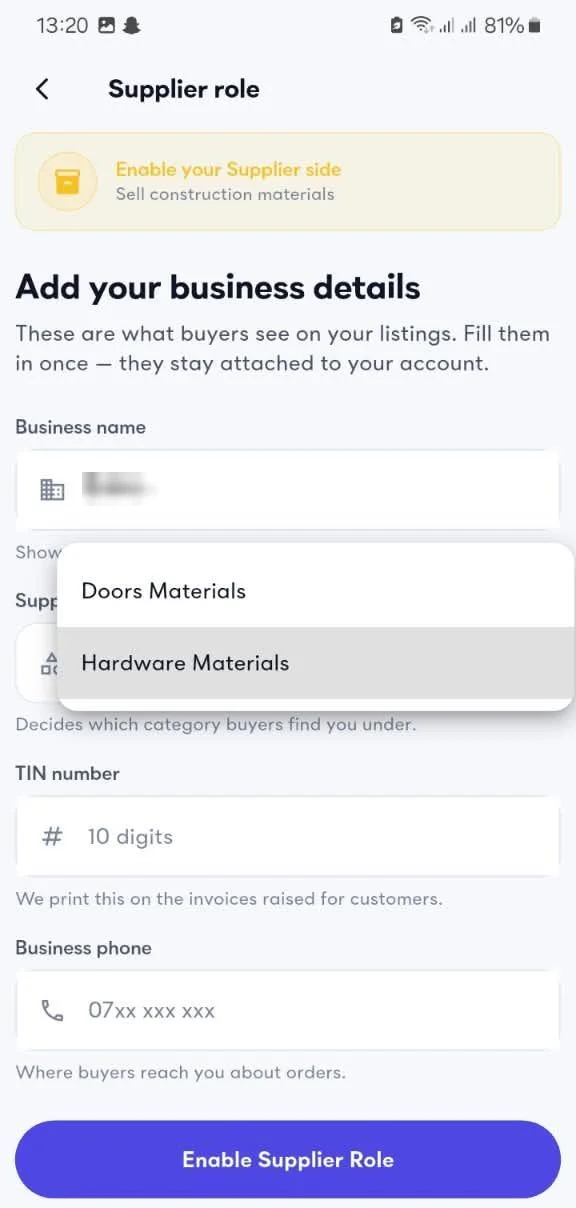
Add your business details
Enter your business name, supplier category, TIN and business phone once. Your business name and TIN unlock the Supplier role, and these details are what buyers see on your listings.
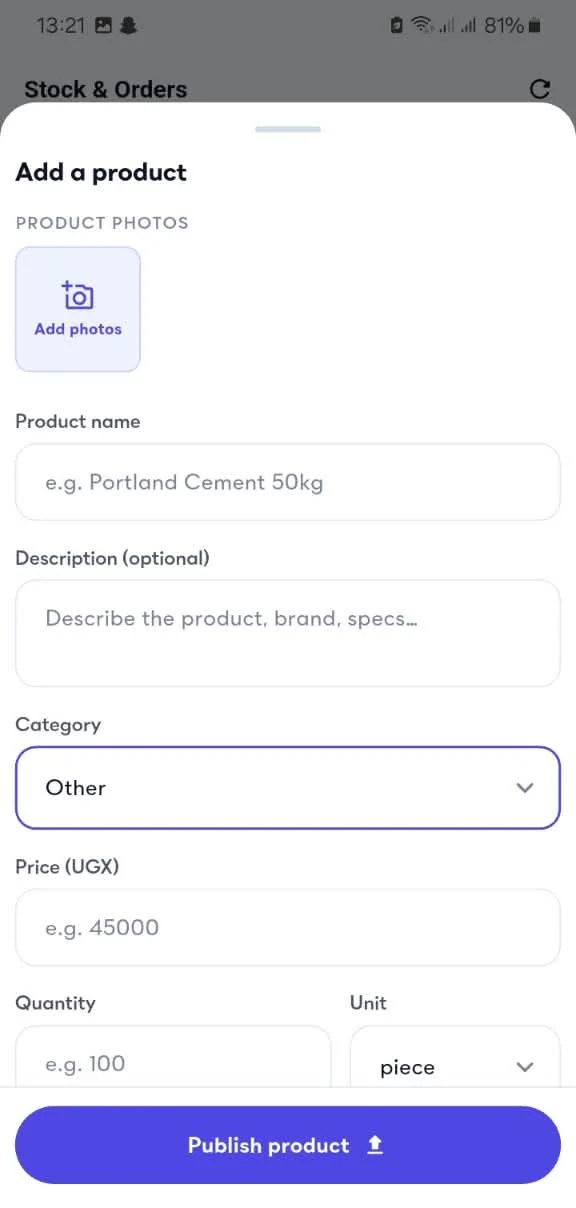
List your materials
Add photos, a name, category, price, quantity and unit, then publish the product to the Marketplace.
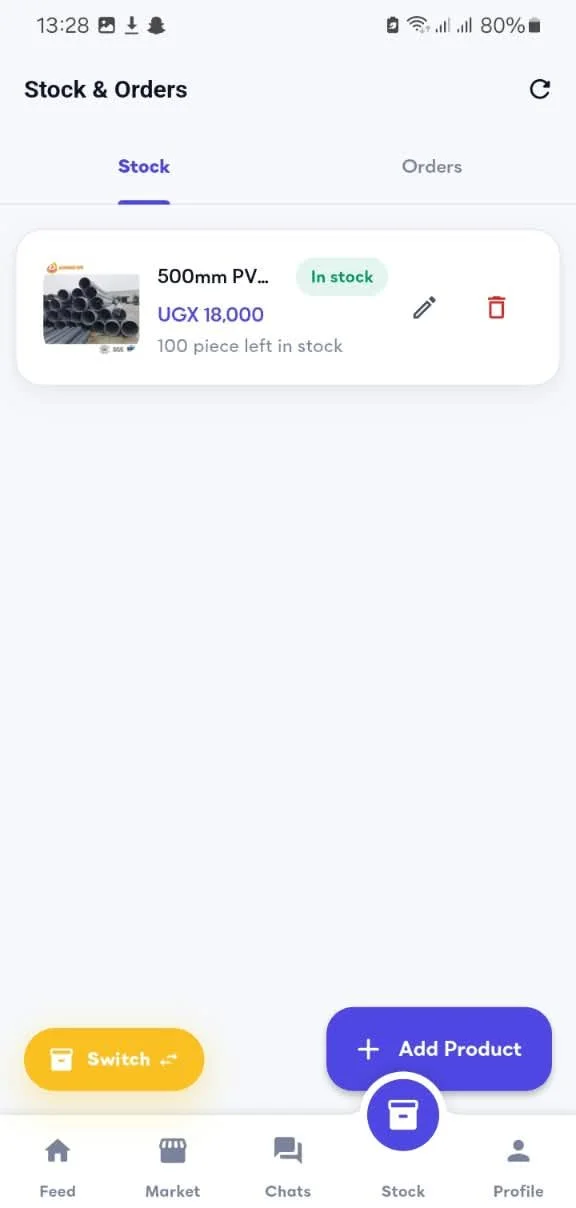
Keep your stock up to date
See each product with its price, stock level and status. Edit or remove a listing at any time, and switch to the Orders tab when buyers order.
Run your store from the web
The Supplier Dashboard brings revenue, products and orders together, with pending, approved and delivered orders in one list.
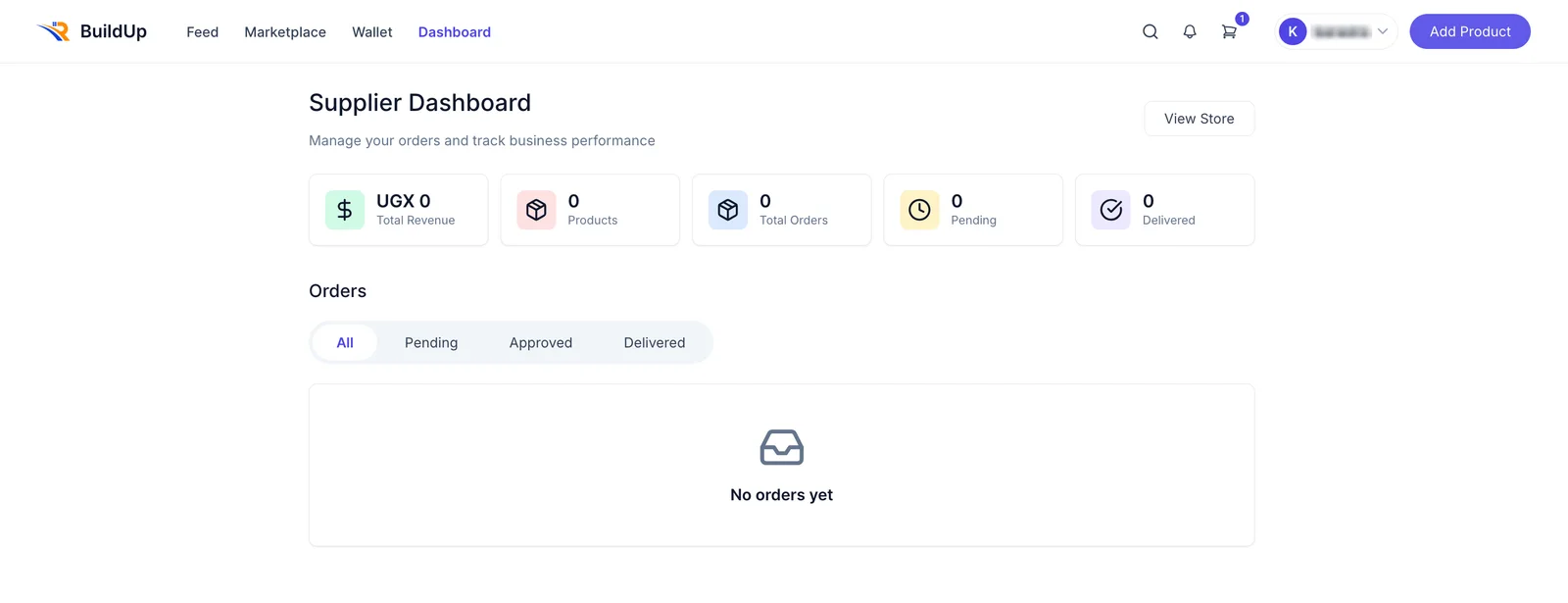
When orders come in
Manage orders & get paid
Approve and fulfil orders, with payment tracked through your BuildUp wallet.