
Find work that fits your skills
Browse real job opportunities, submit your applications, and get paid securely for the work you complete.
You need a TIN (Tax Identification Number) to unlock the Contractor role on your account.
From sign-up to your next job
Real screens from the BuildUp app, as a contractor sees them.
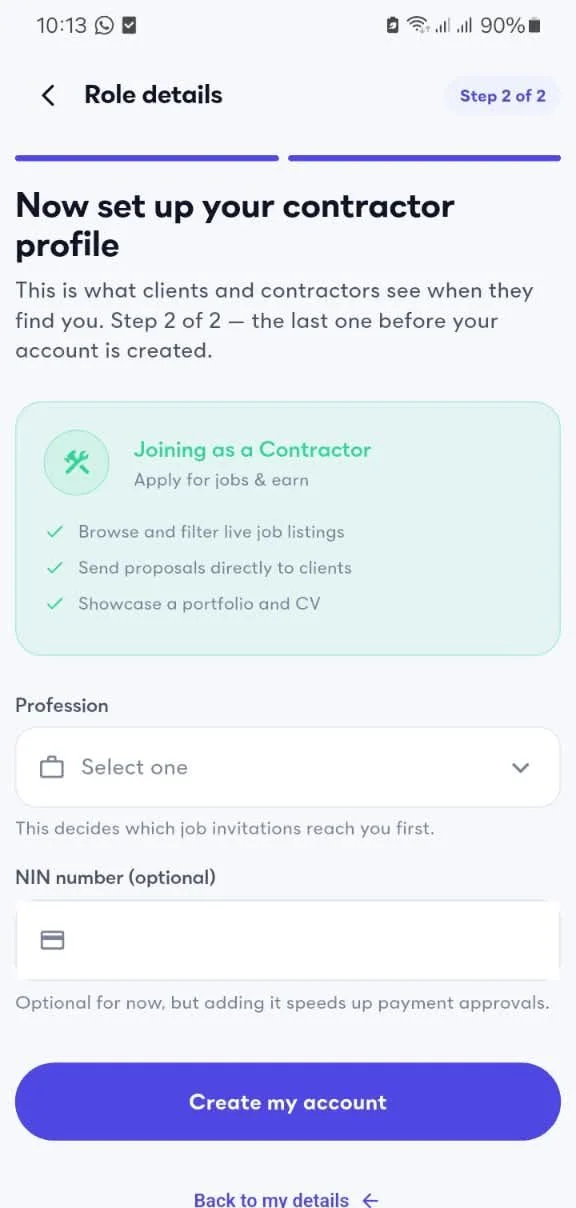
Set up your contractor profile
Choose your profession so the right job invitations reach you first, and add your TIN to unlock the Contractor role. This is the profile clients see when they find you.
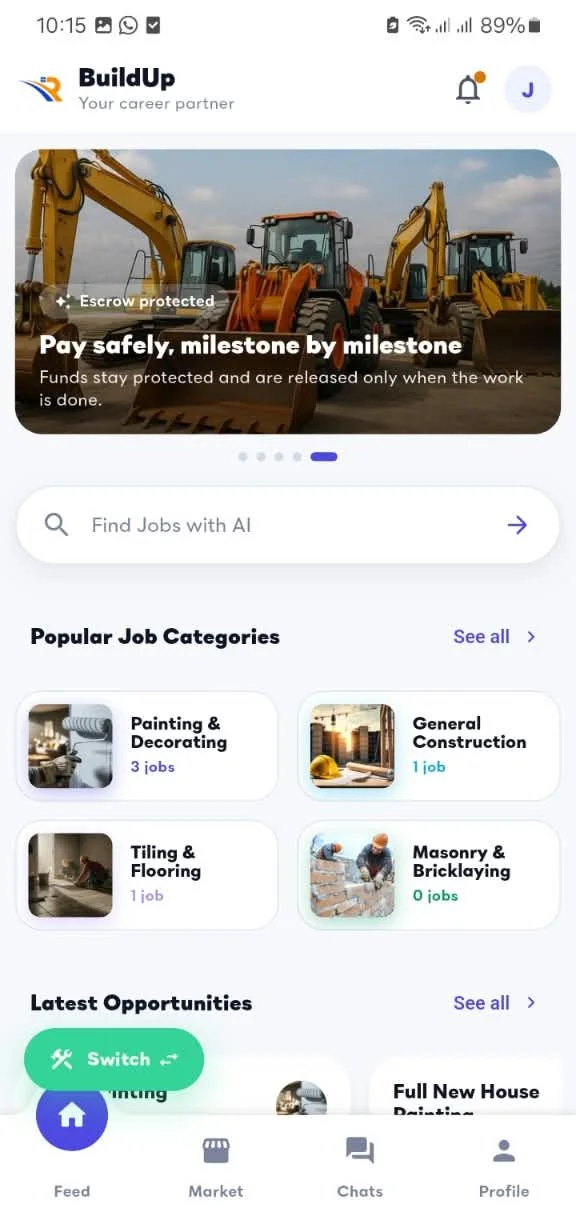
Find work near you
Search for jobs with AI or start from popular categories like painting, general construction and tiling.
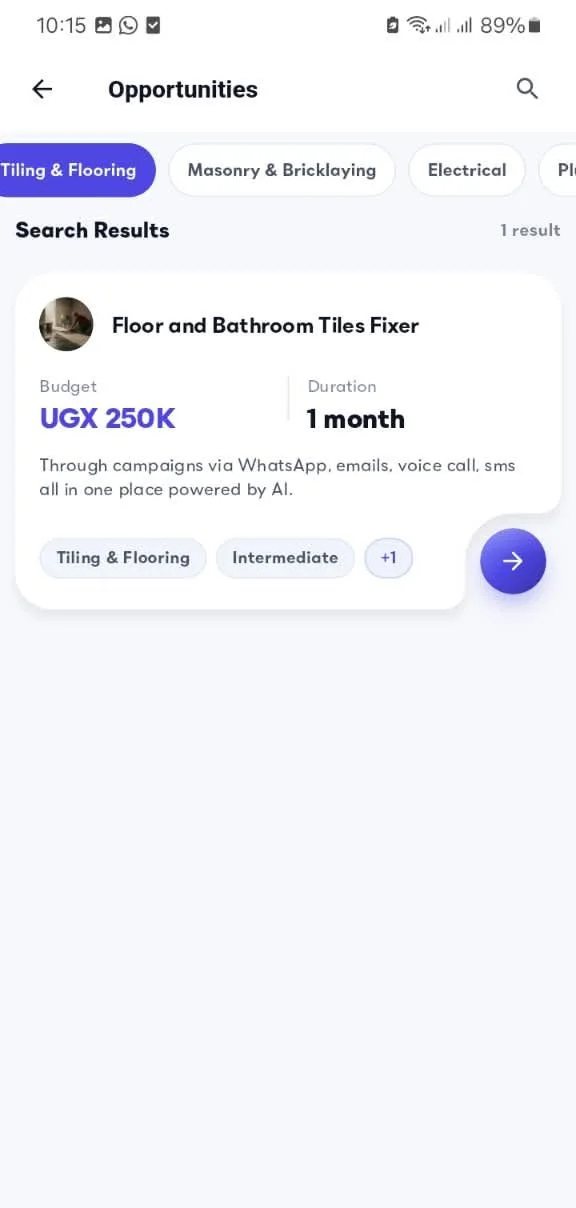
Filter by your trade
Narrow live opportunities to your trade and compare budget, duration and experience level at a glance.
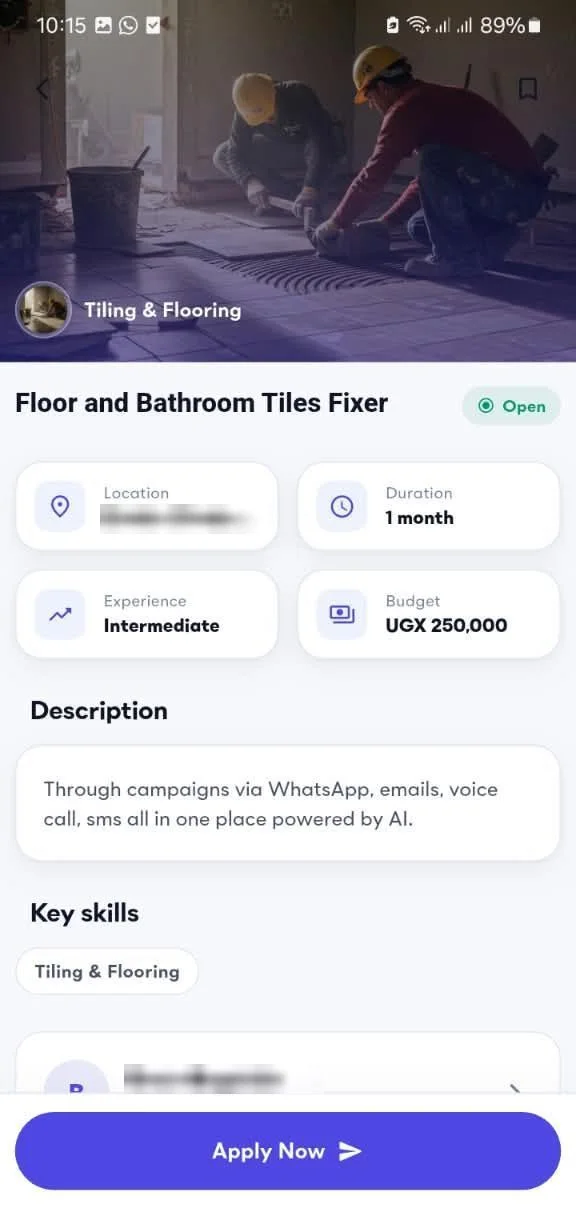
Apply in one tap
Open a job to see the budget, duration, experience level and key skills, then apply straight from the listing.
Or apply from your computer
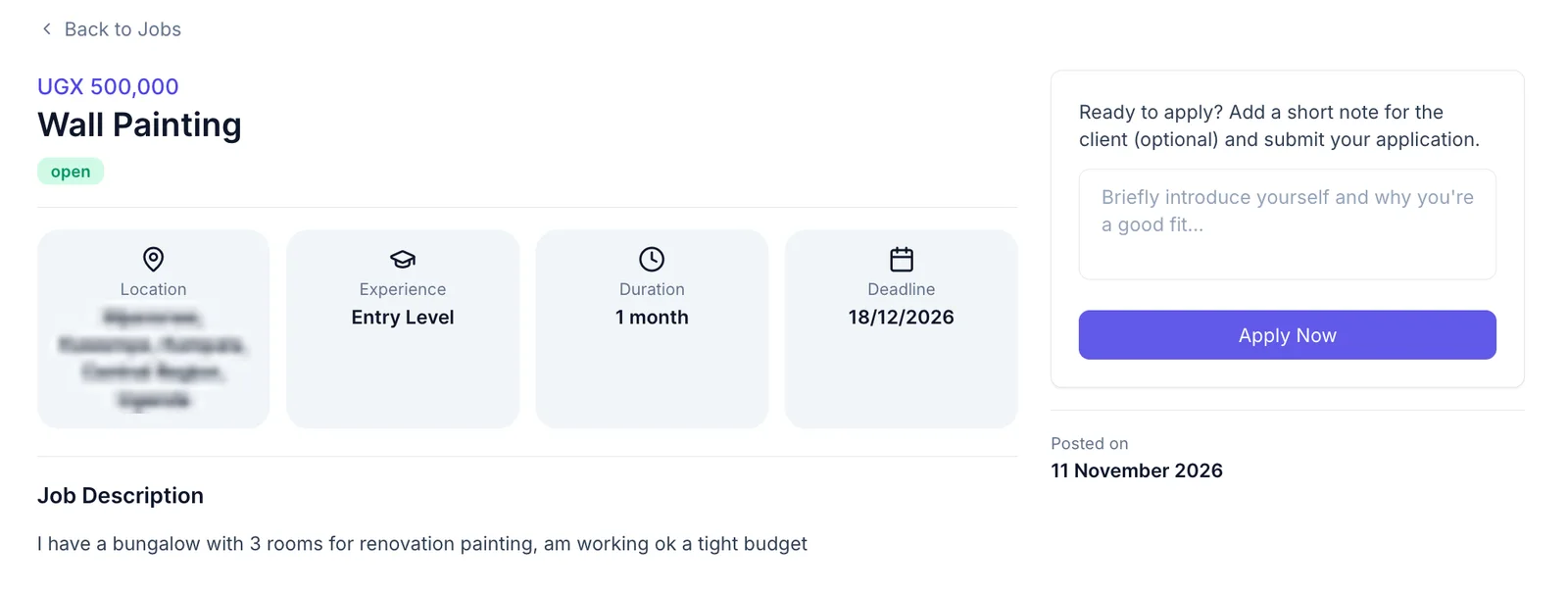
On the web, every job shows its budget, experience level, duration and deadline. Add a short note to the client and submit your application.
Track your applications
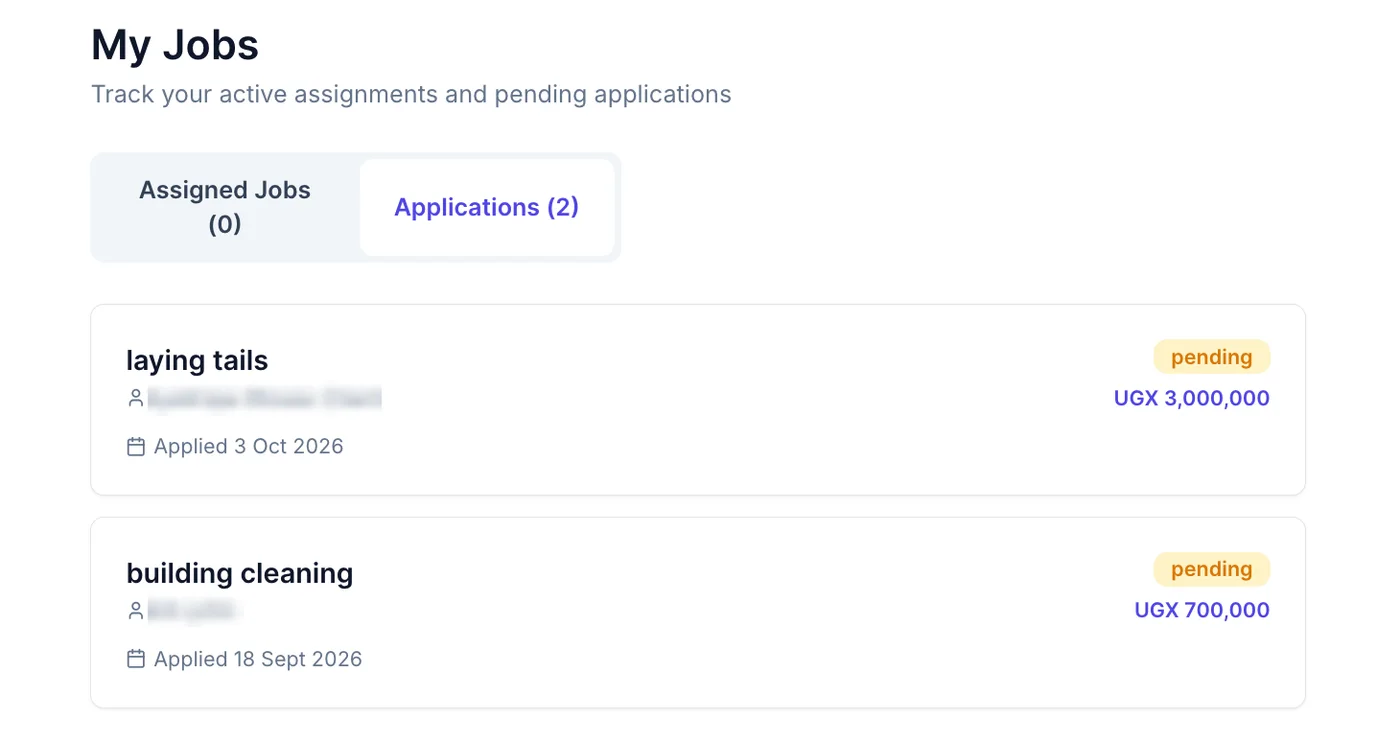
My Jobs keeps assigned jobs and pending applications apart, with the budget, status and date you applied for each one.
When the work is done
Get paid
Once the client confirms the work, your payment is released to your BuildUp wallet.
Ready to join as a contractor?
Create your BuildUp account and get started today.
Sign up as a Contractor